
Platform
How Swivel works.
Swivel reads the systems you already run, builds a customer digital twin for every account, and gives specialized retention engines the context to act.
1. Data in
Start with the systems you already have.
Swivel reads the places where retention signals already live: CRM, collection systems, your warehouse, and external context.
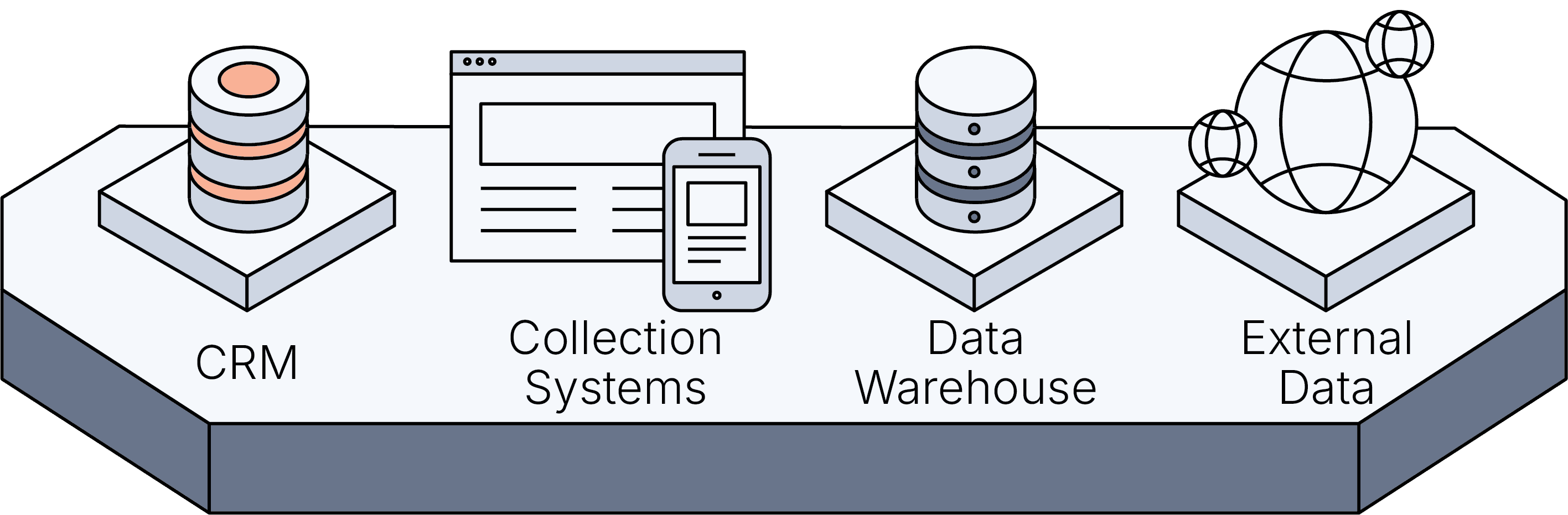
- CRM
- Accounts, owners, plan, support history, and team notes.
- Collection systems
- Invoices, failed charges, dunning state, and renewal risk.
- Data warehouse
- Usage, logins, and engagement trends.
- External data
- Outside signals that sharpen the customer picture.
2. Customer model
A digital twin of every customer.
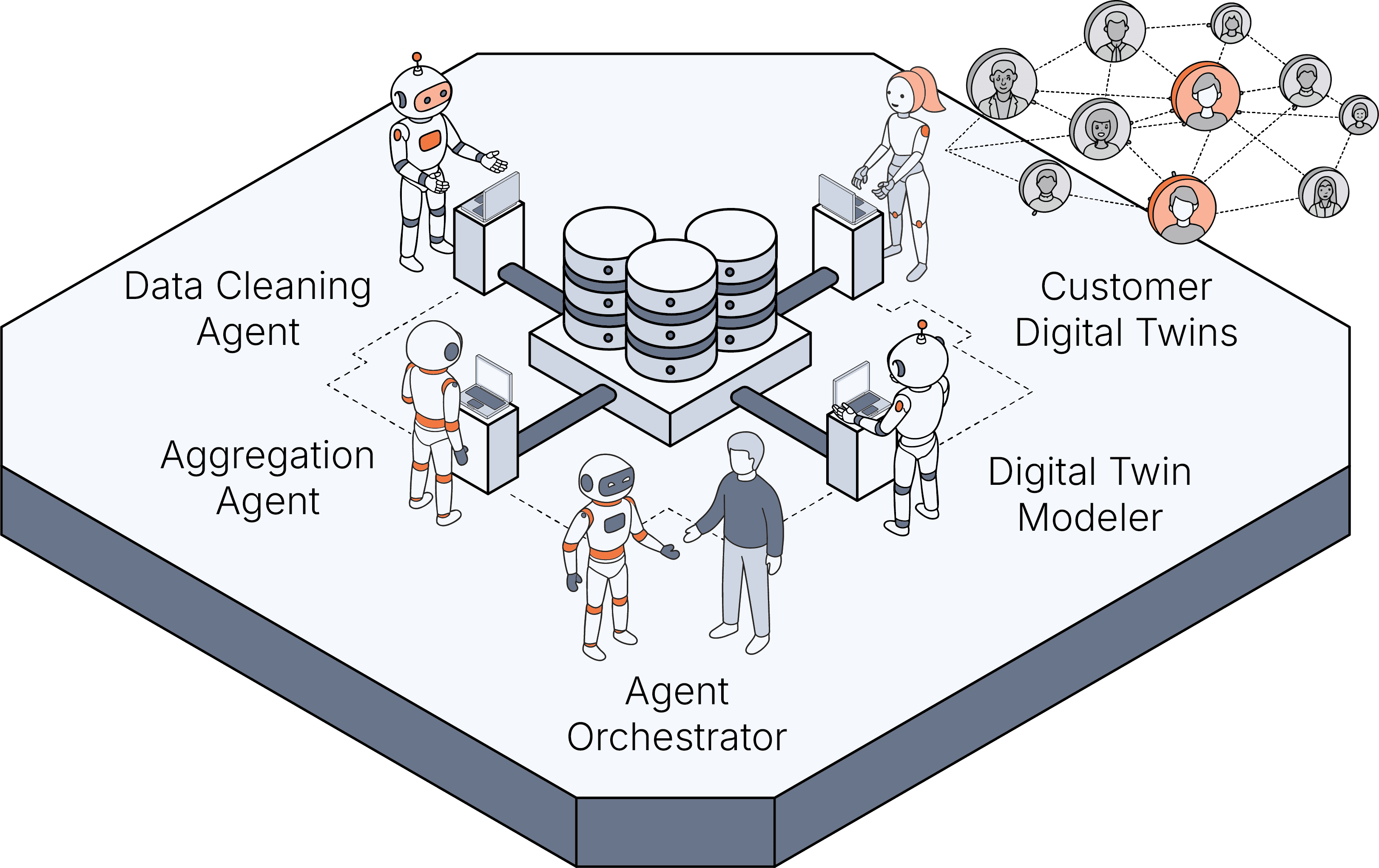
Specialist agents clean and join the signals, then keep a living account model that the rest of the system can read.
Data Cleaning Agent
Makes the incoming signals usable.
Aggregation Agent
Joins billing, product, support, and CRM context.
Digital Twin Modeler
Keeps the customer digital twin current.
Agent Orchestrator
Routes the work to the right engine and the right human.
3. Retention engines
Specialists act on the twins.
Each engine owns one retention job. They run in parallel, using the same customer context instead of asking one general agent to do everything.
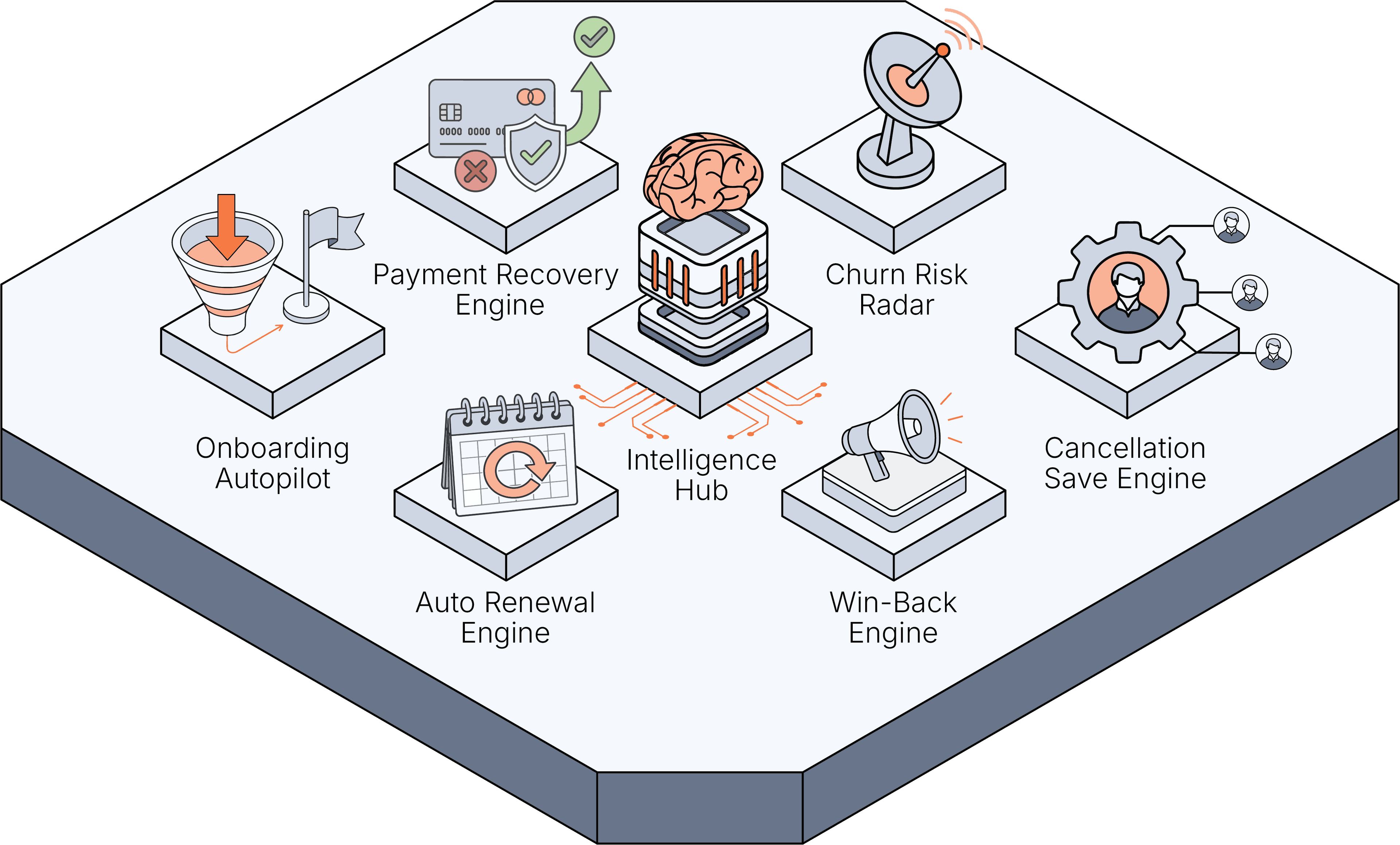
- Churn Risk Radar
- Finds accounts pulling away before they cancel.
- Win-Back Engine
- Reaches lapsed customers with the right timing and offer.
- Payment Recovery Engine
- Stops billing problems from becoming churn.
- Cancellation Save Engine
- Matches the cancel moment to the right save play.
- Onboarding Autopilot
- Gets new customers to first value.
- Auto Renewal Engine
- Clears renewal friction before the term lapses.
Why this shape
A team is easier to understand and control.
The architecture stays legible: one shared customer model, specialist engines, and human approval before anything reaches a customer.
- 01
Specialization
Each agent has a narrow job, so the behavior is easier to review and improve.
- 02
Parallel coverage
The engines work every customer twin at the same time instead of waiting in a queue.
- 03
Human-approved handoffs
Agents prepare the save. Your team approves the customer-facing action.
Governance
Every customer-facing action stops at Sign-off.
Agents can prepare the work, but they do not send customer-facing actions without approval.
- Sign-off
- Approve, edit, or reject the action before it reaches a customer.
- Reasoning trace
- See the signals the agent used and why it suggested the move.
- Audit trail
- Every proposed and approved action is logged for review.
Tools we read from
Connects to the stack you already run.
 Stripe
 Adyen
Adyen


 Recharge
 Paddle

 Apple App Store
 Google Play

 Salesforce
 HubSpot
 Zendesk
 Intercom
 Pendo
Pendo Gorgias


 Twilio
 WhatsApp
 OneSignal
 Yotpo
Yotpo
 Smile.io
 Okendo
 Snowflake
 Google BigQuery
 Databricks
 Segment
 Shopify
 WooCommerce

 Ghost
Ghost Kit
Kit Patreon
 Kajabi
 Circle
 Discord
 Toast
Toast Square
 Clover
 Lightspeed
 Resy
Resy
 Google Maps
 Yelp
Yelp

 ABC Fitness
 Glofox
 Mariana Tek
 Canvas
 Moodle
 Teachable
 Thinkific
 Zoom
Zoom Typeform
 Zapier
 Sift
Sift Hive
Hive
 Stream
 Alloy
Alloy Socure
 Unit21
 ComplyAdvantage


 Applied Epic
 AMS360
- QQCatalyst
- PL Rating




Put our agent teams to work on your customer retention.
Three weeks. The agent team works real at-risk accounts alongside your team, with every customer-facing action human-approved.